
Canon PIXMA TR7120
4.2Editor score
Automatic document feeder
Automatic two-sided printing
1.42-inch OLED display
Compact multifunction design
A printer for infrequent home use should be approachable rather than feature-heavy. The best models offer straightforward setup, dependable wireless connections, useful copy and scan functions, and ink systems that do not demand constant attention. They also fit comfortably into small spaces without making routine documents, schoolwork, or occasional photos feel difficult to produce.
This guide compares ten color inkjet and ink-tank options for light household printing needs. The evaluation considers the documented features, stated capabilities, customer ratings, paper handling, connectivity, display design, and practical maintenance considerations. The list includes compact all-in-one printers, automatic duplex models, document feeders, mobile printing support, and refillable tank systems.
Each review explains who the printer is likely to suit and where its compromises may matter. The first three recommendations stand out for their combination of usability, capability, and value, while the remaining options provide alternatives for different workspaces and priorities. Product listings and prices can change, so confirm the current specifications, ink requirements, and availability before purchasing.
4.2Editor score

4.2Editor score
4.0Editor score
As an Amazon Associate we earn from qualifying purchases.
The comparison below highlights the most important documented differences among these ten printers, including printing format, connectivity, paper handling, display type, and maintenance approach. It is designed to help readers identify the model that best matches their frequency of use without paying attention to features they are unlikely to need.



The HP DeskJet 2923 is a basic wireless all-in-one aimed at households that print letters, recipes, to-do lists, financial documents, and other occasional color jobs. Its customer rating is 3.7, so it is not the strongest numerical performer in this group, but the documented feature set is easy to understand. Print, copy, scan, mobile printing, and a simple icon LCD cover the core needs of a light-use home printer.
We may earn a commission when you buy through this link, at no additional cost to you.
Dual-band Wi-Fi is a meaningful convenience in a model intended to sit in the background until needed. HP states that the connection system can automatically detect and resolve issues, while the HP app provides a route to print, scan, copy, and fax from a smartphone. HP AI helps format web pages and emails for cleaner output, which is useful when printing content copied from a browser. The 60-sheet input tray is modest but sufficient for occasional batches.
The trade-offs are mostly related to simplicity. This model does not include automatic duplex printing or an automatic document feeder, and its stated print speed reaches only 7.5 pages per minute in black and 5.5 pages per minute in color. The Instant Ink trial may be convenient for eligible users, but the subscription terms and cartridge compatibility should be reviewed carefully rather than treated as an unconditional long-term saving.
Choose the DeskJet 2923 if you want a familiar HP application, wireless setup, and a compact printer for light documents rather than a productivity machine. It is best suited to a home office, apartment, or study where occasional color and occasional scanning are the priorities. For duplex printing or a larger paper tray, the Canon PIXMA TS6520 or HP OfficeJet Pro 8125 offer more capable hardware.
The combination of an icon LCD, smartphone access through the HP app, and formatting assistance for web pages makes this printer approachable for users who do not want to manage a complex control panel. It is best for a limited queue of letters, forms, household pages, and simple color projects.
The documented compact footprint suits smaller rooms, while dual-band Wi-Fi gives the printer more connection options than a basic single-band setup. It can remain available to several compatible devices without requiring a permanent USB connection.
We may earn a commission when you buy through this link, at no additional cost to you.
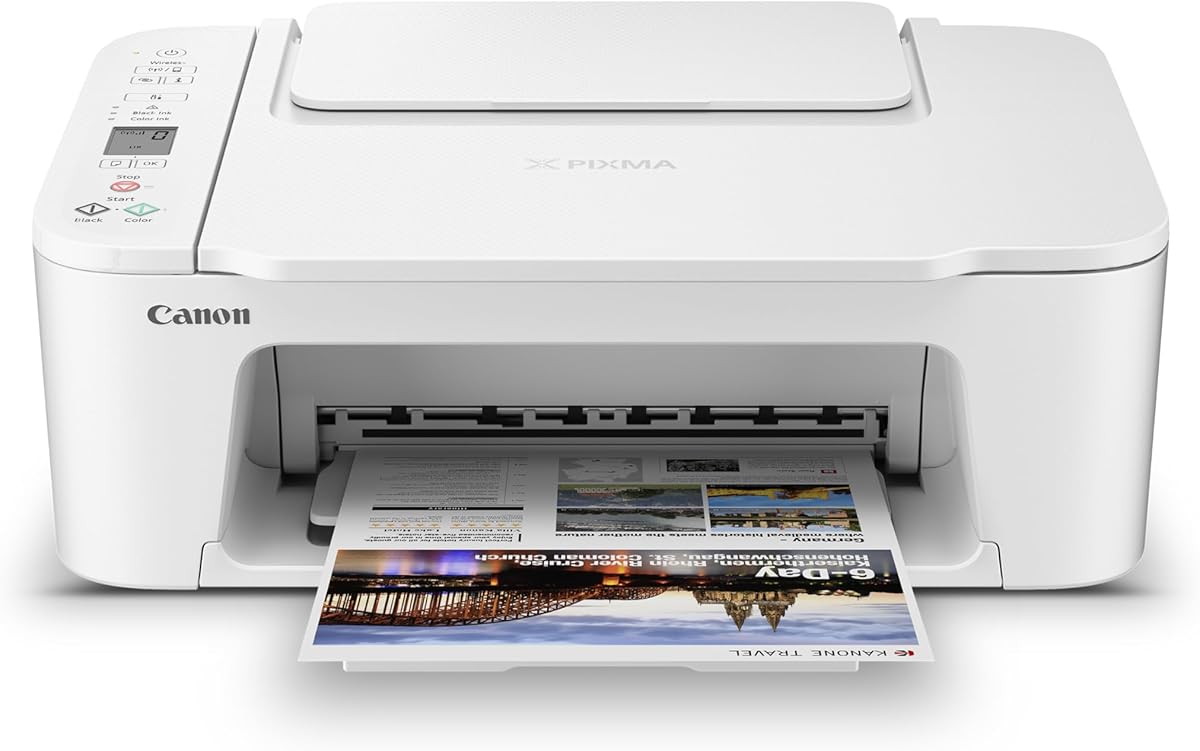
The Canon PIXMA TS6520 is the most balanced recommendation for infrequent home printing. It carries a 4.2 customer rating, tied for the highest listed rating among these models, and combines automatic duplex printing with a compact all-in-one design. That pairing makes it more versatile than many basic printers without introducing the larger footprint of a full home-office machine.
We may earn a commission when you buy through this link, at no additional cost to you.
Canon describes a hybrid two-cartridge ink system that produces sharp text and vivid colors for documents and photos. Automatic two-sided printing is especially valuable when a user occasionally prints multipage forms, assignments, recipes, or reports because it reduces paper consumption and manual page turning. The 1.42-inch monochrome OLED displays ink levels and printer status, providing useful information without turning the device into a complicated office console.
Connectivity is another strength. Dual-band Wi-Fi supports both 2.4GHz and 5GHz networks, while the Canon PRINT app, Apple AirPrint, and Mopria Print Service enable mobile printing from compatible devices. The main limitations are the absence of an automatic document feeder and the use of a two-cartridge system. The former matters when scanning lengthy paperwork; the latter should be considered alongside ongoing ink and refill planning.
This is the printer to choose when your printing is light but not trivial. It handles everyday documents, occasional photos, copies, and scans, while automatic duplexing adds an efficiency that simple printers often lack. It is less suitable for a home office that routinely processes multi-page documents, but for intermittent household needs it offers an unusually useful combination of features, compactness, and straightforward operation.
Two-sided printing makes the TS6520 more useful for occasional packets, worksheets, and reports. It also helps limit wasted paper, making duplex capability a worthwhile priority even for an infrequently used home printer.
The 1.42-inch OLED gives quick access to status information while preserving a compact footprint. It is a useful middle ground between a minimal segment display and a large touchscreen designed for advanced workflows.
We may earn a commission when you buy through this link, at no additional cost to you.
The HP DeskJet 2955 is a wireless color inkjet all-in-one positioned for basic home use. Its listed rating is 3.7, placing it among the lower-rated choices in this comparison, although the rating alone does not reveal why individual users may be satisfied. The broad product category and compact household orientation make it worth considering when the primary goal is basic printing without a large office device.
We may earn a commission when you buy through this link, at no additional cost to you.
The supplied product information confirms the core product identity, wireless capability, and all-in-one format but gives very few technical details. It does not specify paper capacity, duplex printing, display characteristics, or exact print speeds. As a result, buyers should not assume that this model offers the same automatic features as the TS6520, TR7120, or other selections with more detailed listings.
Its clearest advantage is likely simplicity. The DeskJet 2955 belongs to HP's consumer DeskJet range, which is designed for familiar home document tasks rather than high-volume production. Wireless operation also reduces the need to remain near the printer or depend on a direct USB connection for every task. The lightweight listing format also indicates a model that may be easier to place in a limited workspace.
This printer makes most sense for a buyer who needs straightforward wireless color printing and prefers the HP ecosystem. Compare the final listing details carefully before purchase, especially for paper handling, scan functions, ink requirements, and network setup. Those specifications are not sufficiently documented in the supplied data to justify presenting the model as a feature-heavy alternative to the higher-ranked Canon options.
The DeskJet 2955 is aimed at routine household printing rather than heavy office output. Its consumer all-in-one format should appeal to users who want essential functions without a large control screen or extensive paper-handling system.
Because the available listing information is limited, buyers should verify exact paper capacity, print speed, and scan details on the current product page. Those details can materially change the value of the model for a particular household.
We may earn a commission when you buy through this link, at no additional cost to you.
The Canon PIXMA TS4320 is a versatile wireless all-in-one for home users and hybrid workers who want more than a basic printer. Its 3.9 rating reflects a well-rounded option with automatic duplex printing, integrated scanning and copying, dual-band Wi-Fi, and support for documents and photos. It does not have the strongest rating in the group, but its documented feature set is well matched to light household productivity.
We may earn a commission when you buy through this link, at no additional cost to you.
Automatic two-sided printing is the feature most likely to improve the experience of an occasional user. A duplexed letter, recipe collection, or short report can be produced without repeatedly feeding the same sheet. Canon also supports media up to 8.5 by 11 inches, with or without borders, giving users flexibility for standard papers and photos. The 2.4GHz and 5GHz Wi-Fi options are useful for flexible home-network placement.
Canon PRINT, Apple AirPrint, and Mopria Print Service support convenient mobile output. The printer's EPEAT Silver and ENERGY STAR certifications add another purchasing consideration for environmentally conscious households. As with the TS6520, the two-cartridge hybrid ink arrangement avoids a more complex multi-ink system, but users should account for the ongoing need to keep both color and black supplies available.
Choose the TS4320 if automatic duplexing, mobile printing, and document-and-photo versatility matter more than an OLED display or document feeder. It is a strong option for students, remote workers, and families with an irregular flow of paperwork. It is less suitable for repetitive scanning of long documents, where an automatic document feeder would save meaningful effort.
Supporting bordered and borderless media makes this printer suitable for school projects, household documents, and occasional photographs. The same compact all-in-one design can cover several tasks without requiring separate devices.
Automatic duplexing conserves paper, while EPEAT Silver and ENERGY STAR certifications make the model easier to evaluate against other environmentally conscious options. These traits are particularly relevant for a printer that can remain idle between occasional jobs.
We may earn a commission when you buy through this link, at no additional cost to you.
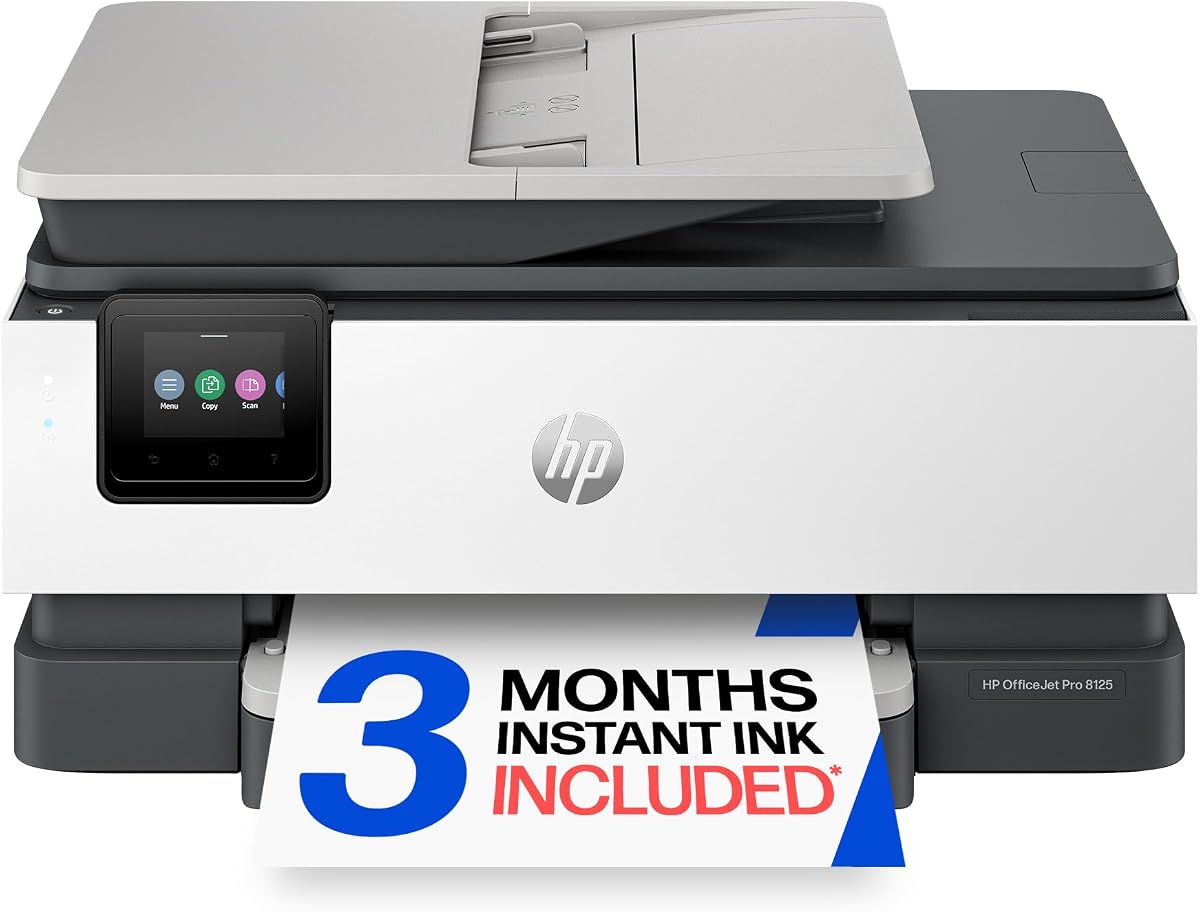
The HP OfficeJet Pro 8125 is the most productivity-oriented model in this guide, with a customer rating of 3.9 and a broad collection of home-office features. It combines automatic duplex printing, an automatic document feeder, a 225-sheet input tray, and a 2.7-inch color touchscreen. That makes it a better fit for regular office tasks than for a household that only prints a few pages each month.
We may earn a commission when you buy through this link, at no additional cost to you.
Document production is notably faster than on the basic models in this list, reaching up to 20 pages per minute in black and 10 pages per minute in color. The automatic document feeder reduces the effort involved in copying or scanning multipage paperwork, while the touchscreen offers a more phone-like interface for navigating settings. HP AI assists with formatting web pages and emails, and the HP app provides mobile access to core functions.
The important trade-off is complexity and cartridge compatibility. HP states that the printer is intended to work only with cartridges containing original HP chips or circuitry, and it will block cartridges using non-HP chips or circuitry. The included Instant Ink trial converts to a monthly plan unless canceled. The 225-sheet tray also makes this model physically larger than the most compact choices, which matters in a small room.
This printer is best for someone whose infrequent printing has occasionally become substantial, such as a remote employee producing weekly reports or a home business handling invoices and proposals. If printing truly happens only a few times per year, a compact Canon model may offer less complexity. If a document feeder, larger tray, and faster output are likely to matter, the OfficeJet Pro 8125 provides the necessary foundation.
The automatic document feeder and 225-sheet input tray reduce repeated handling during larger jobs. These features make the model more useful for reports, presentations, business documents, and other multi-page work.
The 2.7-inch color touchscreen makes status checks and setting changes more transparent than a basic LCD. It offers room for a more informative interface while remaining smaller than many dedicated office printers.
We may earn a commission when you buy through this link, at no additional cost to you.
The Canon PIXMA TR7120 is the premium recommendation among these ten models. Its 4.2 customer rating is tied for the highest in the group, and it combines the most useful advanced functions in a relatively compact home printer. Automatic duplex printing, an automatic document feeder, a 1.42-inch OLED, dual-band Wi-Fi, copying, and scanning create a balanced package for users who want occasional printing to feel more productive.
We may earn a commission when you buy through this link, at no additional cost to you.
The automatic document feeder is the main advantage over the TS6520 and TS4320. It is particularly valuable when copying, scanning, or handling multipage forms, eliminating the need to place every sheet on a flat scanner bed. At the same time, automatic duplex printing reduces paper use and makes the printer well suited to reports, school projects, and household paperwork. The OLED allows users to check ink status and printer conditions at a glance.
Canon continues to describe the TR7120 as compact and suitable for home users and hybrid workers. It supports standard and borderless media, while the Canon PRINT app, Apple AirPrint, and Mopria Print Service cover common mobile-printing routes. Dual-band connectivity improves setup flexibility, and the two-cartridge hybrid ink system keeps the product simpler than a multi-ink office machine.
Choose the TR7120 when you want most of the convenience of a dedicated home-office printer without moving into a large, complex model. It is especially appropriate for someone who prints only occasionally but still wants duplexing, convenient document scanning, and a polished control display. A user who prints a few basic pages each year may find the extra capabilities unnecessary, making the TS3720 or TS4320 a more economical fit.
The automatic document feeder is paired with automatic duplex printing, so the TR7120 can handle longer documents in both directions. This combination minimizes manual page feeding while keeping the overall design appropriate for a home workspace.
The monochrome OLED presents ink levels and printer status clearly, while dual-band Wi-Fi and familiar mobile-printing services support flexible device placement. These details make the printer convenient for mixed phone, tablet, and computer workflows.
We may earn a commission when you buy through this link, at no additional cost to you.
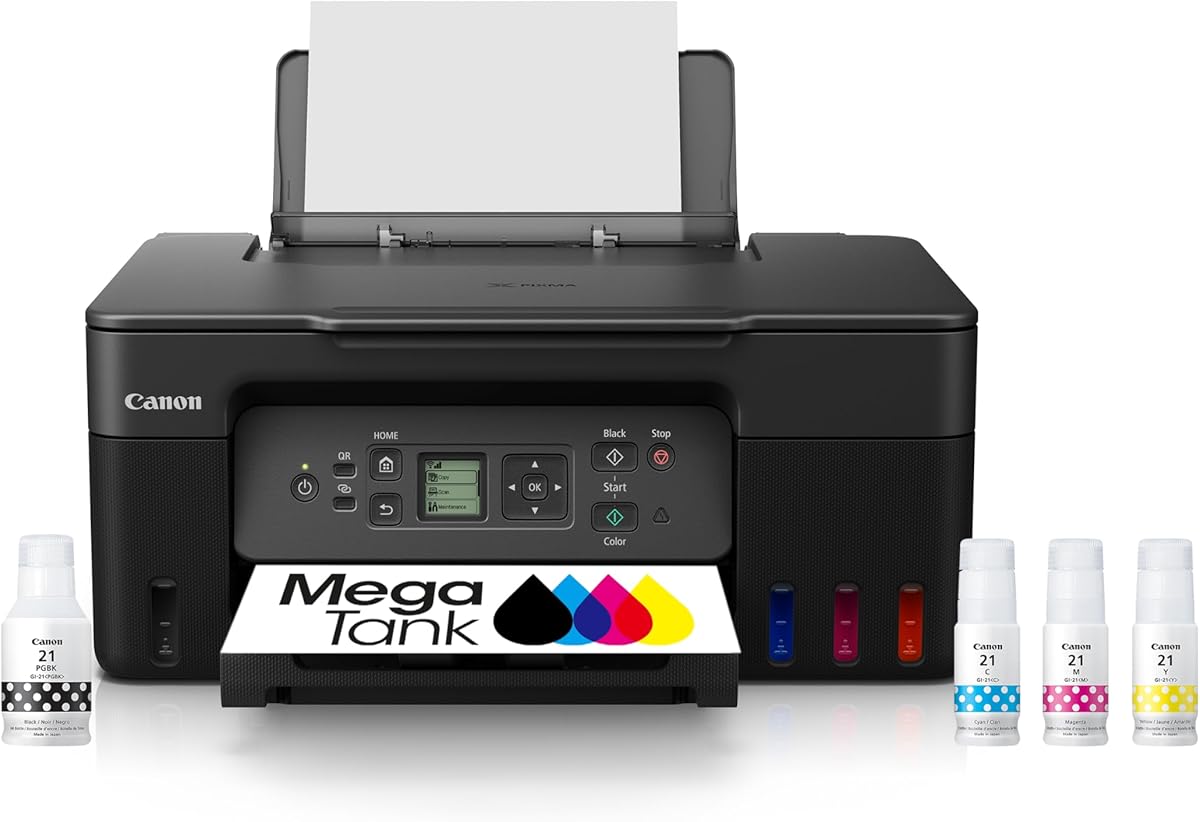
The Canon MegaTank G3270 is a wireless ink-tank all-in-one designed to reduce the pressure of frequent ink replacement. Its 4.1 customer rating is strong for this group. Canon states that a single set of inks can print up to 6,000 black-and-white pages or 7,700 color pages, making the model particularly relevant for households that print more than a few pages but still prefer an approachable desktop printer.
We may earn a commission when you buy through this link, at no additional cost to you.
Unlike cartridge-focused models, the MegaTank approach centers on refillable ink supplies. That can be advantageous when minimizing cartridge changes is a priority, particularly for a family producing school projects, recipes, lists, or other recurring color pages. The printer also includes wireless print, copy, and scan functions, and a 1.35-inch square LCD provides a concise way to check status and navigate basic settings.
The important limitation is single-sided printing. Users who routinely produce longer documents may prefer automatic duplexing, which the G3270 does not offer. The refillable tank format may also require more space than a compact cartridge printer, and the long-term ink plan should be understood before committing. The high page-capacity claim is especially meaningful only if the printer is used often enough to use that ink.
This model is a good choice for the occasional user who wants to eliminate cartridge-change anxiety. It is less attractive if duplex printing, a document feeder, or a particularly small footprint matters more. For a truly infrequent household, the TS3720 may be the more rational purchase; for a household printing hundreds or thousands of pages over time, the MegaTank's capacity can become a major advantage.
The documented page yields allow the printer to operate for extended periods without cartridge replacements. For users who want simple printing without a subscription, this can reduce both the frequency and inconvenience of ink management.
Wireless printing, copying, and scanning make the G3270 adaptable to a shared household setup. Its small square LCD keeps on-device controls straightforward even though the printer offers more capacity than a basic model.
We may earn a commission when you buy through this link, at no additional cost to you.
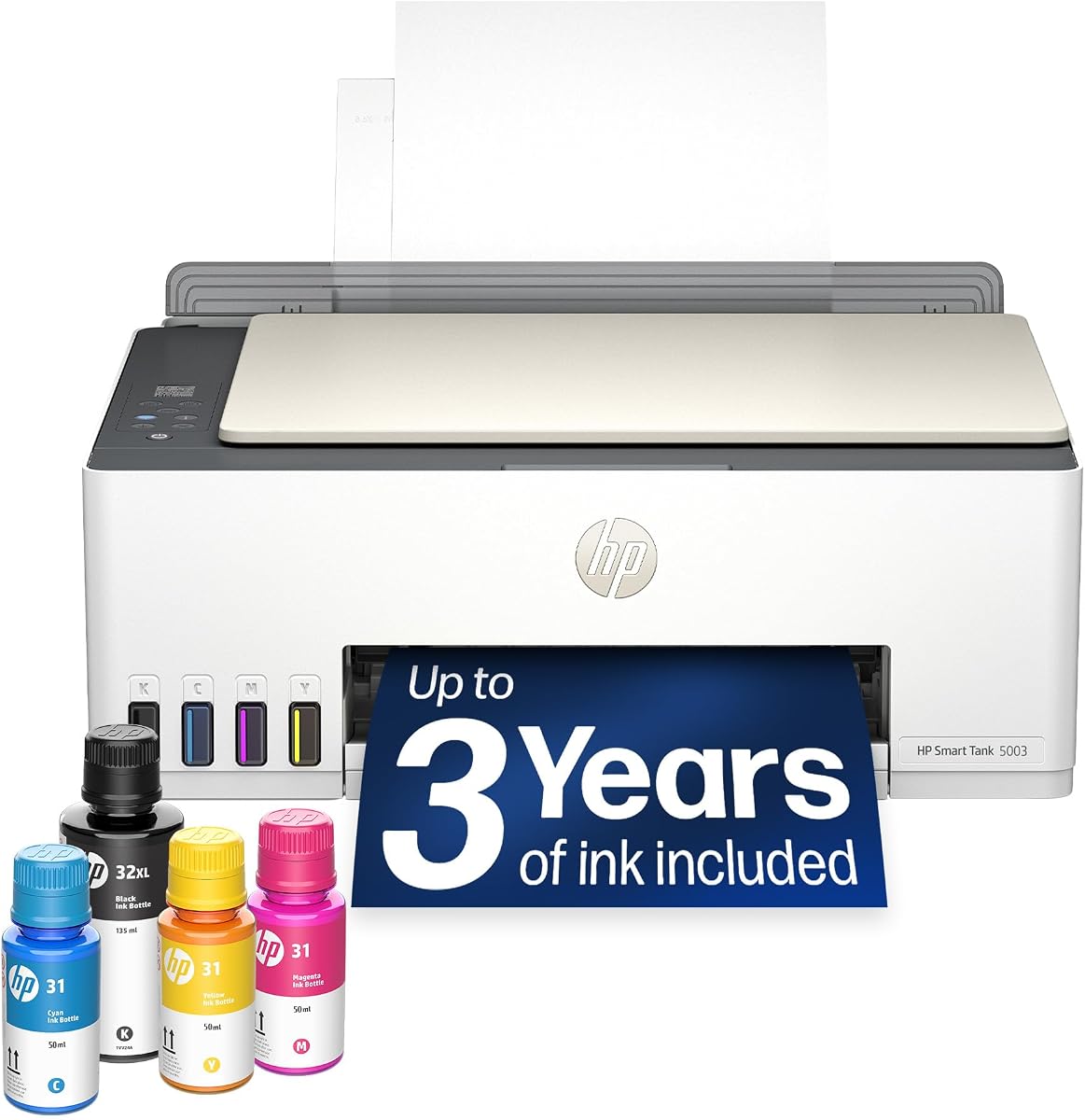
The HP Smart Tank 5003 is an ink-tank printer for users who want to minimize cartridge replacement and maintenance. Its 3.9 rating reflects a capable alternative to conventional cartridge models, while the included ink allowance of up to three years or 6,000 color or black pages makes it appealing to households that want substantial capacity at the outset.
We may earn a commission when you buy through this link, at no additional cost to you.
Its refill process is one of the defining benefits. HP's mess-free system uses ink bottles that plug into the cartridge-free tank and drain without squeezing, reducing the likelihood of an accidental spill. The printer supports print, copy, scan, borderless prints, and wireless mobile printing. That combination allows it to function as a general-purpose home device rather than a printer limited to plain documents.
The trade-off is size and the initial commitment to a tank-based system. Tank printers generally need more clearance than compact cartridge models, and the included ink allowance is most valuable when the printer is actually used. The listing does not document automatic duplex printing, an automatic document feeder, or a specific paper capacity, so buyers should confirm whether those omissions matter for their expected workload.
Choose the Smart Tank 5003 if reducing ink-management frequency is a top priority and you have room for a larger appliance. It is particularly suitable for a busy family, a home learning space, or a shared office that produces color pages regularly. For a user who prints only a handful of pages annually, the unused ink advantage may not justify the larger footprint or greater purchase commitment.
The bottle-based refill method avoids squeezing ink into small cartridges. HP describes it as a mess-free process, making routine replenishment more approachable for households that do not want frequent cartridge changes.
With a stated allowance of up to 6,000 color or black pages and three years of included ink, the model can serve users whose printing is irregular but substantial. It also supports borderless output, expanding its use beyond standard documents.
We may earn a commission when you buy through this link, at no additional cost to you.
The Brother Work Smart 1360 combines a 3.8 customer rating with a notably broad home-office feature set. It prints, copies, and scans over a wireless network or through USB, while automatic duplex printing, a 20-sheet single-sided automatic document feeder, and a 150-sheet paper tray give it useful productivity hardware. The 1.8-inch color display and cloud connectivity distinguish it from the most basic choices.
We may earn a commission when you buy through this link, at no additional cost to you.
Its cloud app connections include Google Drive, Dropbox, Box, OneDrive, and other supported services. The Brother Mobile Connect app provides menu navigation, printing, copying, scanning, and device management from a mobile device. Page Gauge is designed to help users monitor ink usage and avoid running out, which is a welcome feature for someone who does not print regularly enough to know exactly when supplies are low.
Print speeds reach up to 16 pages per minute in black and 9 pages per minute in color. The paper tray accepts 150 sheets, and the document feeder handles 20 sheets on the single-sided side. Automatic duplex printing saves paper during longer runs, although the feeder itself is not a two-sided document feeder. That distinction is important for anyone who regularly copies lengthy double-sided records.
The Work Smart 1360 is well suited to a home office that values cloud access, mobile control, and a reasonably compact footprint. It may be less attractive for a user seeking automatic duplex copying or a tank-based ink system. Its feature mix is strong, but the average rating suggests prospective buyers should consider print quality preferences and cartridge planning before making a final choice.
Direct support for popular cloud storage services reduces the steps needed to retrieve and print stored files. The 1.8-inch color display makes those cloud-focused features easier to access directly from the device.
Automatic duplex printing and a 150-sheet tray are meaningful conveniences for intermittent office work. The document feeder is small, but it provides enough capacity for routine pages without requiring a full-size production machine.
We may earn a commission when you buy through this link, at no additional cost to you.
The Canon PIXMA TS3720 is the budget recommendation for users who need a clear, uncomplicated printer for occasional home documents. It has a 4.0 customer rating and a documented feature set centered on print, copy, scan, wireless setup, and easy cartridge replacement. It avoids the complexity of an automatic document feeder, large touchscreen, or refillable tank system.
We may earn a commission when you buy through this link, at no additional cost to you.
The streamlined setup is one of its most persuasive elements. Wi-Fi can be configured without a computer, and the printer supports the Canon PRINT app, Apple AirPrint, and Mopria Print Service. It also works with Chromebook, which is helpful for households and students using that platform. Dual-band Wi-Fi provides support for both 2.4GHz and 5GHz networks and makes placement less restrictive.
Its media capabilities go beyond basic paper. The printer handles envelopes, photos, high-resolution paper, banners, and square five-inch photos, as well as borderless photos up to five by seven inches. POSTERARTIST Online is included for creating banners and signage. The 1.5-inch segment LCD is simple, while the two easy-replace, no-mess cartridges help keep maintenance manageable.
Choose the TS3720 when the printer only needs to be dependable and available without becoming a major household project. It is a strong fit for a dorm room, apartment, kitchen, or homework space. The decisive limitation is single-sided printing, so users who often produce multipage documents may prefer the TS4320 or TS6520 for automatic duplex capability.
Computer-free Wi-Fi setup and support for Canon PRINT, Apple AirPrint, Mopria, and Chromebook make the printer approachable for a range of households. The streamlined process reduces the chance that a rarely used device will become frustrating.
Borderless photo printing, square formats, banners, envelopes, and high-resolution paper make the TS3720 more versatile than a document-only printer. The free poster-creation software adds another useful option for household projects.
We may earn a commission when you buy through this link, at no additional cost to you.
The right printer for occasional home use balances simplicity, wireless access, ink convenience, and enough paper handling for realistic bursts. Consider how often you print, what you create, and whether scanning or duplexing will prevent recurring inconvenience.
Infrequent use does not automatically mean cartridge printers are best. A standard cartridge model may be more appropriate when pages are printed only occasionally, but a tank printer can be safer if you tend to finish a cartridge and then leave the device unused for months. Review the documented page yield, cartridge handling, refill process, and expiration-related considerations before choosing. Ink-tank models can reduce replacement frequency, while conventional cartridges may be simpler for very light use.
Choose the ink system that matches your actual pattern of use, not just the lowest initial purchase figure.
Wireless printing is especially useful for a home printer because it allows phones, tablets, laptops, and desktops to share one device without a permanent USB connection. Dual-band Wi-Fi models offer more flexibility when a household has both 2.4GHz and 5GHz networks. Also check whether setup can be completed without a computer and whether the manufacturer's app supports the devices and services you already use.
Prioritize stable dual-band Wi-Fi, computer-free configuration, and broad app compatibility for the least frustrating setup.
Automatic two-sided printing can make an infrequently used printer more practical, particularly for reports, school assignments, recipes, and household forms. It reduces paper consumption and the need to manually reinsert pages. A single-sided printer remains adequate when output is brief and usually one page at a time, but it may become inconvenient during a larger job.
Automatic duplexing is a worthwhile feature for households that print multi-page material, even if those jobs are rare.
All-in-one printers save space by combining printing, copying, and scanning. A flatbed scanner is useful for occasional documents, photos, and receipts. An automatic document feeder is more convenient for multipage paperwork because it reduces the number of times pages must be placed on the scanner glass. Check whether the feeder handles one-sided or two-sided input, as that distinction affects longer copies.
For occasional scans, a flatbed may be enough; for recurring paperwork, an automatic document feeder offers much greater convenience.
Paper capacity should reflect the largest realistic batch, not the total number of pages a user might print over a year. A 60-sheet tray is modest but sufficient for short bursts, while 150- and 225-sheet trays accommodate longer queues. Borderless printing and support for envelopes, photos, banners, and specialty paper are useful if the printer will handle creative projects as well as routine documents.
Match tray capacity to your largest typical job and confirm supported media before buying.
A basic segment LCD is adequate for starting copies, checking status, and changing simple settings. An OLED provides clearer information in a more compact panel, while a color touchscreen is better for navigating extensive settings and workflow features. For infrequent users, a clear interface can be more valuable than a large display because it reduces uncertainty when a task is rarely performed.
Choose the simplest control panel that comfortably supports the features you expect to use regularly.
Home printers are often placed in a corner, closet, or small office, so footprint matters. Compact cartridge models are generally easier to place, while tank printers and models with large feeders or paper trays may require more clearance. Consider not only the footprint but also the space needed to open the tray, remove the scanner unit, insert ink, and handle output pages.
Measure the intended location and allow operating clearance before committing to a larger model.
Some models include a trial of an ink-delivery service, but a trial is not the same as a permanent low-cost ink arrangement. Review enrollment terms, cancellation conditions, cartridge compatibility, and what happens after the trial. For cartridge-chip restrictions, verify compatibility before purchase. Environmental certifications such as ENERGY STAR and EPEAT can also narrow the field for buyers interested in efficiency.
Read all subscription and cartridge-compatibility terms before considering an included trial a long-term benefit.
Begin by placing the printer on a level, stable surface with enough room to open its trays and access the scanner. Install the supplied ink components, power the printer on, and use the manufacturer app or display instructions to connect it to the home network. For dual-band models, choose the appropriate network band and position the unit where the signal remains reliable. Print a short test page to confirm text alignment, color output, and duplex operation before starting a longer job.
For tank-style printers, refill only with the intended ink bottles and follow the enclosed sequence carefully. Keep the nozzles clear by using the printer regularly, and avoid leaving a partially completed job in the tray for long periods. For cartridge models, replace supplies before they are completely exhausted when practical, and store ink in a cool, dry area. Clean the scanner glass and exterior with a soft, lint-free cloth, and avoid spraying liquid directly onto the printer.
If output looks faded, streaked, or misaligned, consult the printer's maintenance menu for an alignment or cleaning cycle. Review ink status through the display or app rather than relying only on a page disappearing from a computer queue. For a long period of inactivity, power the printer down, remove loose paper that could be affected by moisture, and keep the cartridges or tanks in the manufacturer's recommended storage position. Before the next job, run a test page and verify that the device remains connected to the intended Wi-Fi network.
Yes, an inkjet printer is well suited to occasional home printing because it generally handles letters, forms, schoolwork, recipes, and color projects at accessible levels. Choose a model with easy setup, clear ink status, and mobile printing support. If you expect long gaps between jobs, confirm storage guidance for the ink system to avoid maintenance surprises.
Automatic duplex printing is highly useful even when jobs are rare because it handles multi-page documents without manual page turning. It also conserves paper. Choose a single-sided model only if your usual output is brief, or if you want the simplest possible configuration and do not expect to print long documents.
It depends on the pattern of use. A cartridge printer may be simpler and more compact for someone printing only a few pages at a time. A tank printer can be more convenient if you dislike frequent cartridge changes or expect the printer to be used steadily over time, but you will need space for the refillable system and should consider whether you will use the included ink capacity.
Only if you expect to copy or scan multiple pages regularly. A flatbed scanner is sufficient for receipts, identity documents, photographs, and brief paperwork. An automatic document feeder becomes valuable when handling forms, records, or reports, and you should check whether it supports one-sided or two-sided input.
Dual-band Wi-Fi can connect on either 2.4GHz or 5GHz networks, offering more placement options and potentially better performance in a busy household. It is particularly helpful if one band is congested or located farther from the router. Setup should still be tested in the intended room because network range and obstacles matter.
The recommended models support mobile printing through services such as the Canon PRINT app, Apple AirPrint, Mopria Print Service, the HP app, or the Brother Mobile Connect app. Compatibility depends on the phone, tablet, operating system, and printer connection, so confirm support before purchase. Most of these models also support wireless or USB placement options.
Treat the trial as optional and read the complete terms before enrolling. Compare the delivery plan, monthly charges after the trial, cancellation process, and cost of ink outside the program. If your printing is sporadic or your preferred ink is unavailable through the service, a standard cartridge arrangement may offer more control.
Check the current listing for the exact included accessories, ink configuration, warranty, wireless functions, and cartridge or tank requirements. Confirm that the printer supports your operating system and preferred mobile-printing service. It is also wise to review the latest customer feedback and verify that the current product listing matches the model shown in the product image.
The Canon PIXMA TS6520 is the strongest all-around recommendation because it combines automatic duplex printing, a useful OLED, dual-band Wi-Fi, and compact scanning and copying in a home-friendly package. The Canon PIXMA TR7120 is the premium choice for users who also want an automatic document feeder, while the Canon PIXMA TS3720 provides the most budget-focused route to basic wireless printing, copying, scanning, and versatile media support.
For most households, prioritize a simple setup process, clear ink-status information, wireless access, and only the paper-handling features you will genuinely use. Automatic duplexing deserves a high priority if you print reports or school assignments. A tank printer makes more sense when reducing cartridge changes matters, while a small cartridge model is often more rational for only a few pages each year.
Before purchasing, verify the current product details, cartridge or refill requirements, connectivity, paper capacity, and the latest customer feedback. Prices and promotional terms can change over time, and subscription-based ink offers should be evaluated independently of the printer itself. Choose the model whose documented features best support your actual documents, devices, and printing rhythm.